
2021
Orderin
A native iOS self-ordering app that helps diners browse menus, place accurate dine-in orders, and manage order history while reducing manual ordering work for restaurants.
- Role
- iOS Developer
- Categories
- Mobile
Problem
Traditional dine-in ordering can be slow and error-prone when menus, special requests, and order details are communicated manually. Diners need a clear way to browse and customise an order, while restaurants need structured information that helps the right items reach the right table.
Approach
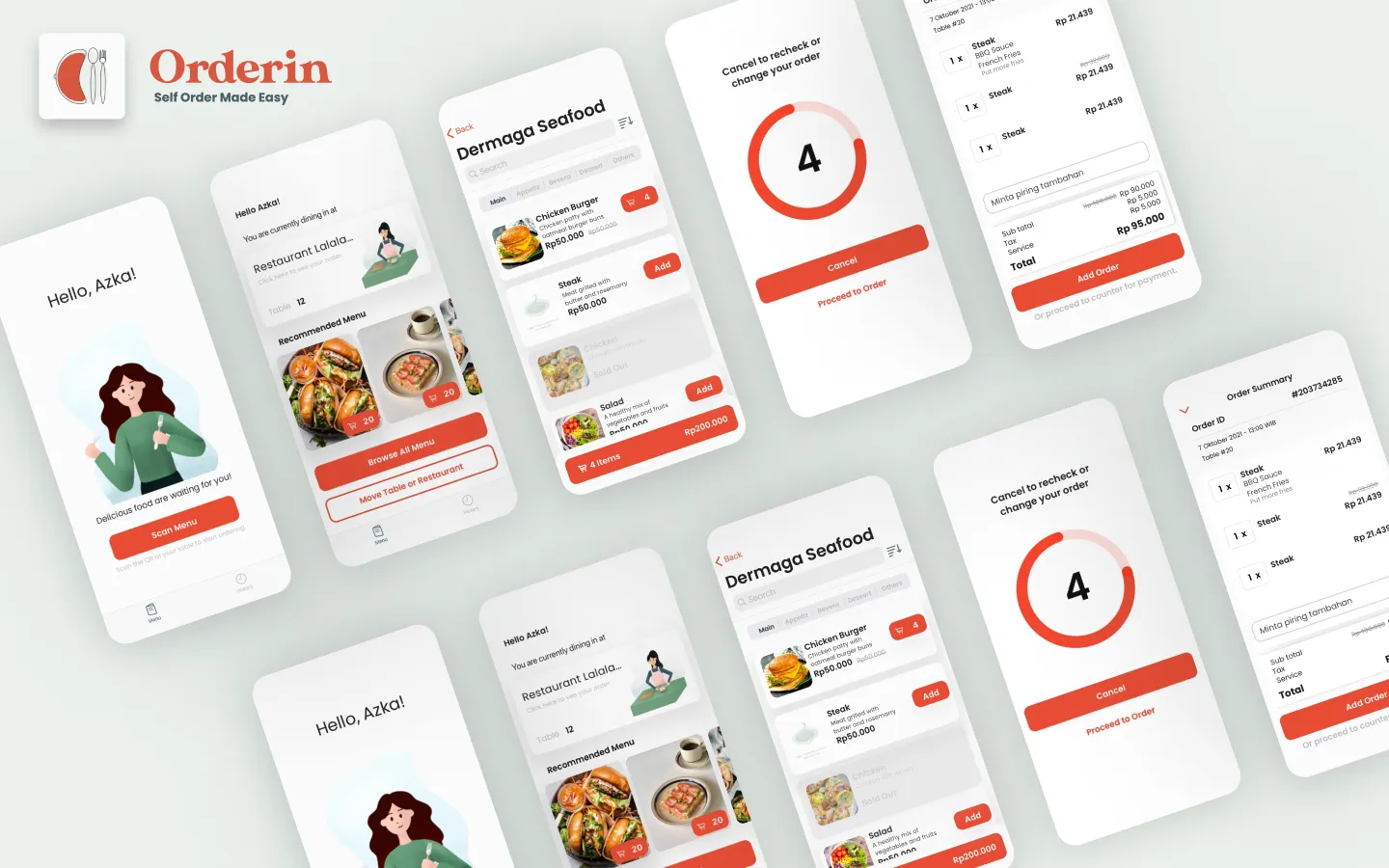
Orderin turns dine-in ordering into a guided mobile flow. Diners can scan a menu at their table, browse available dishes, add items to an order, review the details, and make changes before submitting it. The experience keeps menu choices, order notes, and table context organised from start to finish.
The native iOS app uses programmatic UIKit and XIB-based interfaces with an MVVM architecture. Supporting capabilities include Sign in with Apple, Firebase-backed services, localisation, UserDefaults, and privacy-aware handling of customer and order information.
Core experience
Orderin brings menu discovery, cart management, order review, and order history into one self-ordering experience.
Features
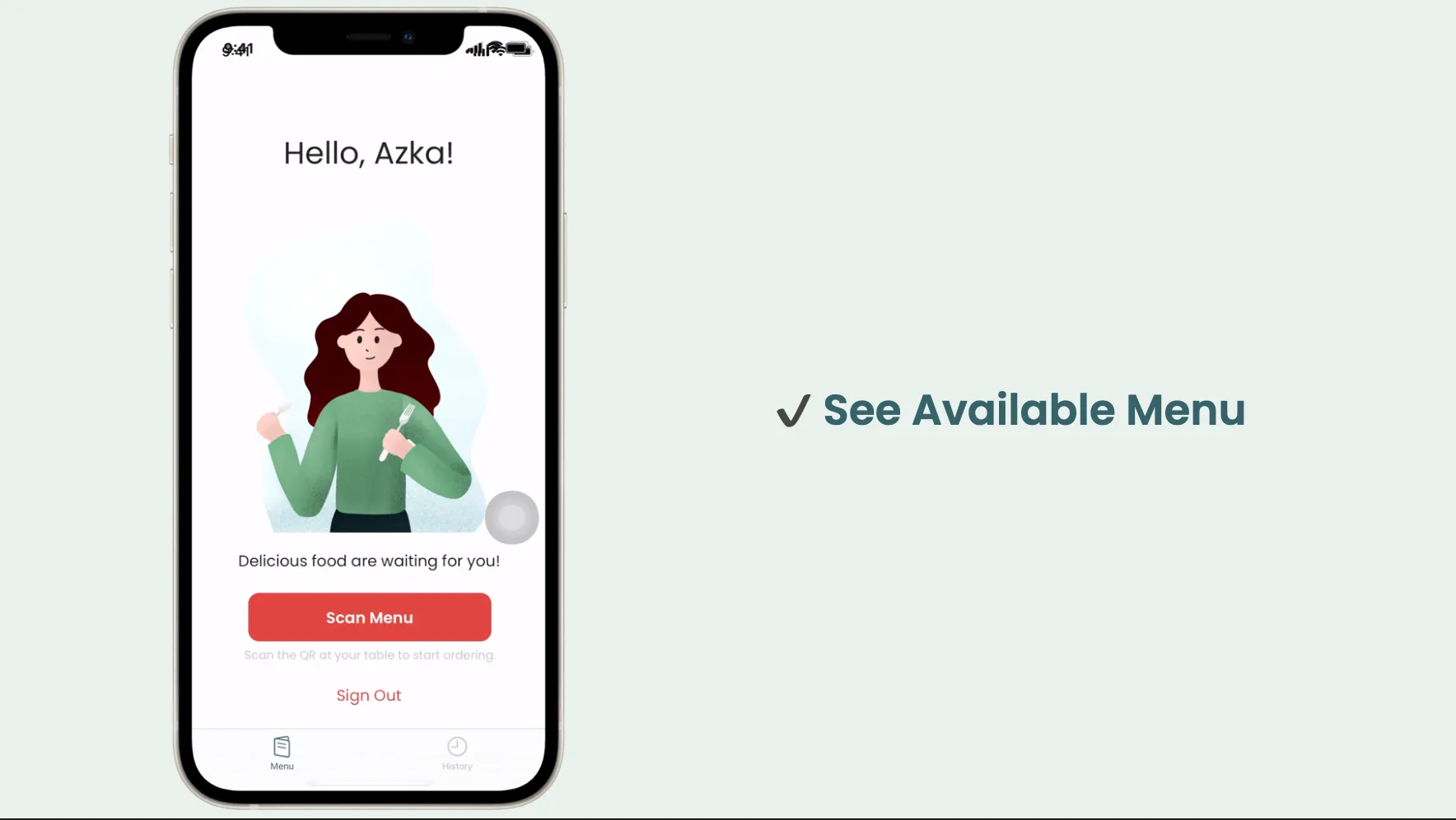
Browse available menus
Scan the table QR code to begin, then view a restaurant’s available menu.
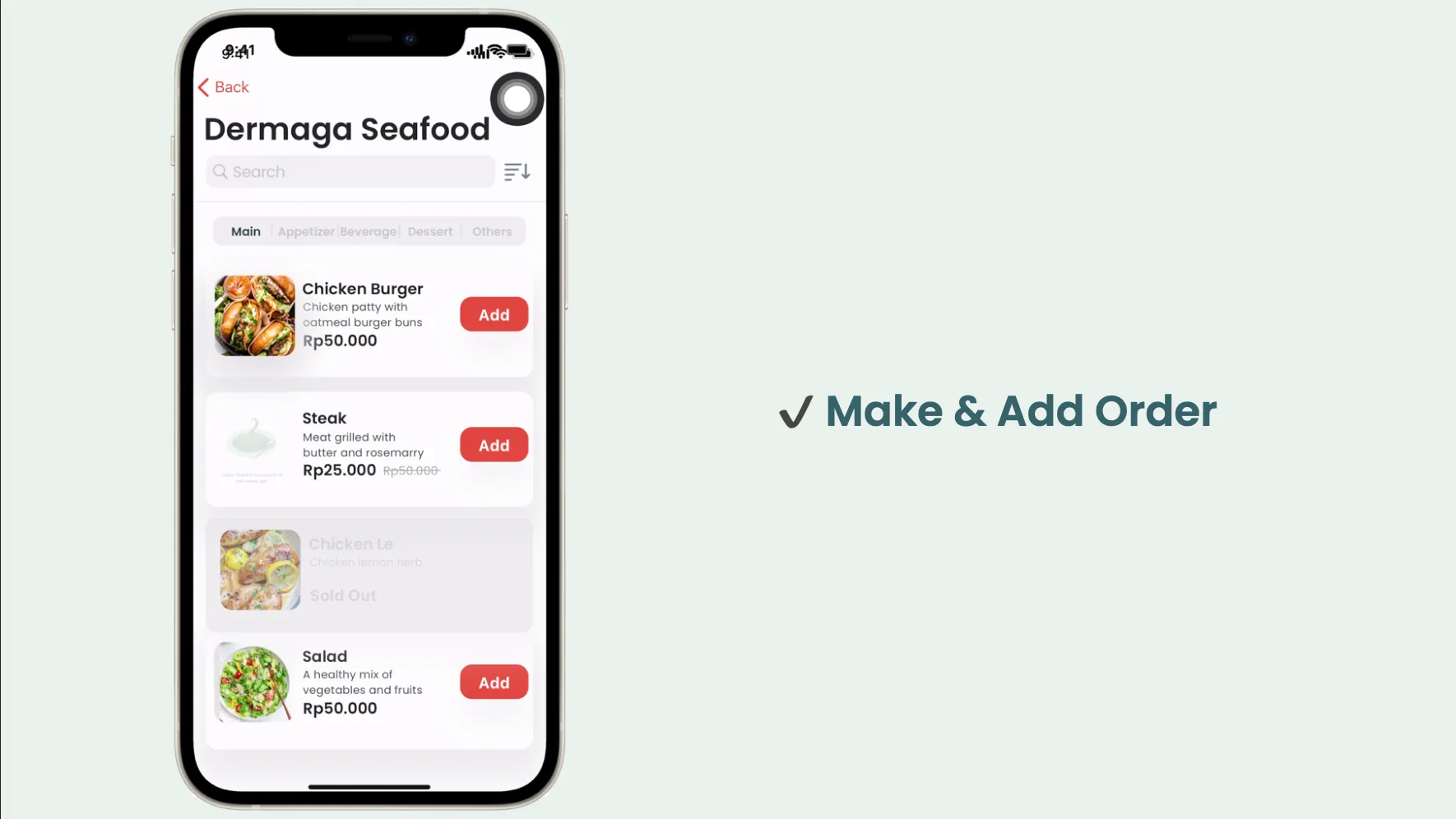
Make and add an order
Select dishes, adjust the order, and add items before checkout.
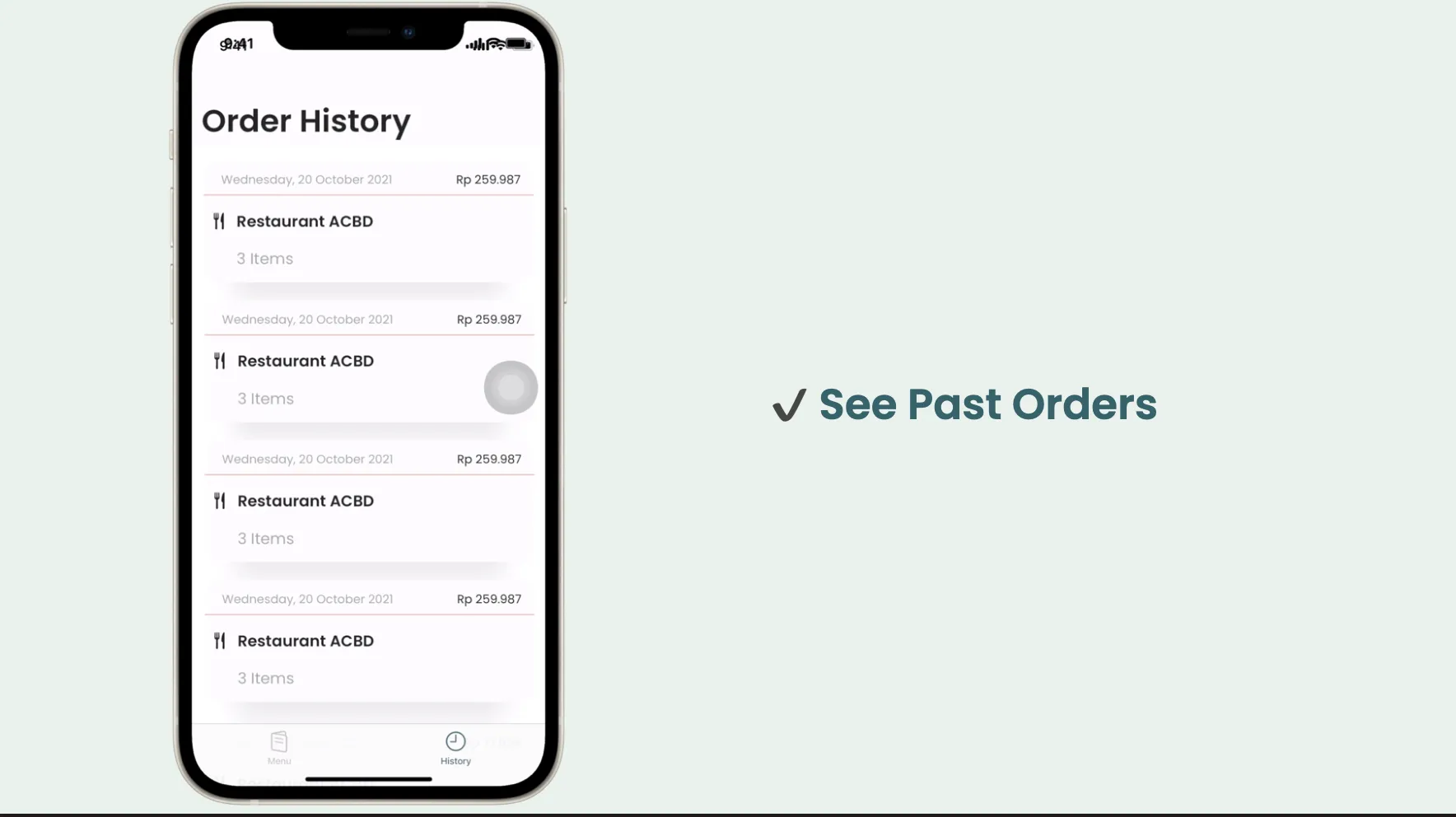
View past orders
Review previous restaurant orders from the order-history screen.
Outcome
Orderin was delivered as a native iOS self-ordering app concept for dine-in restaurants. It gives diners a more structured path from menu discovery to order review, while helping restaurants receive clearer and more organised order details. The supplied project materials do not include validated user-impact metrics, so none are claimed here.
Responsibilities
- Contributed to programmatic UIKit and XIB-based screens across the menu, cart, order-review, and order-history flows.
- Integrated iOS product capabilities including Sign in with Apple, localisation, Firebase services, and UserDefaults.
- Applied the MVVM pattern to keep presentation logic separate from views.
- Collaborated with the project manager, designers, and fellow engineers to translate the self-ordering flow into a working iOS experience.